
Enjoy the full bd64 experience on your smartphone. Fast loading, smooth gameplay, and easy deposits — all in one place.
The bd64 app is completely free to download on both Android and iOS
Install the bd64 app on any Android device running version 5.0 or above. Just download the APK directly and it installs in seconds.
Android DownloadIPhone and iPad users can install the bd64 app with ease. It runs smoothly on iOS 13 and later.
iOS DownloadYou can also use bd64 directly in any mobile browser without downloading the app — all you need is an internet connection.
Play in Browser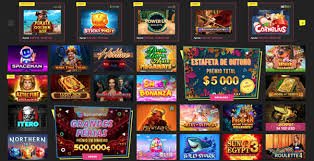
Step-by-step installation guide for Android and iOS
Click the download button on this page. The bd64 APK file will be saved to your phone's Downloads folder.
Grant permission via Settings → Security → Unknown Sources, or Settings → Apps → Special app access → Install unknown apps.
Go to your Downloads folder and tap the bd64.apk file. An Install button will appear — tap it to proceed.
Installation completes in just a few seconds. You'll see the bd64 icon appear on your home screen.
Open the app, log in to your account, and enjoy all the games.
Open bd64's official site in Safari on your iPhone or iPad. On iOS, installing via Safari is generally the simplest method.
Tap the iOS download button. The installation prompt will appear on screen.
Go to Settings → General → VPN & Device Management and trust the bd64 profile.
The bd64 icon will appear on your home screen within moments.
Open the app, log in with your ID, and start playing your favourite games.
Smartphones have become an essential part of everyday life. Whether you're on a break at work, stuck in traffic, or winding down before bed — not everyone can sit down at a laptop or desktop just to enjoy a bit of entertainment. That's exactly why bd64 built its mobile app. Fully optimized separately for both Android and iOS, the app is designed with users in Bangladesh in mind.
One of the biggest advantages of the bd64 app is how light it is on device resources. Games run smoothly even on mid-range smartphones. Whether you're in fish games, slots, betting, or Sports — load times are noticeably short. The overall gaming experience is significantly better than a web browser, because the app is built natively and makes proper use of your device's hardware.
Key Benefits: When you download the bd64 app and log in for the first time, you'll receive an exclusive app download bonus. It's credited directly to your wallet and can be used on any game.
Many people wonder why they need a separate app when the browser does the job. The truth is, the bd64 app offers advantages that are either unavailable or much harder to access through a browser.
Built with native technology, the app loads much faster than a browser.
Get instant notifications on your phone for new bonuses, promotions, and game updates.
Log in quickly and securely using your fingerprint or Face ID.
The app's optimised data usage means you can play longer on mobile data.
New features and security updates are installed automatically.
Your account is secured with two-factor authentication and encryption.

Android is the most widely used mobile platform in Bangladesh, and the bd64 Android APK was built with that in mind. The file size is kept intentionally small so it installs without any issues even on phones with limited storage.
When installing an APK on Android, you need to enable "Install from unknown sources" — this is a standard Android security setting required for any app installed outside the Google Play Store. The bd64 APK is fully safe and contains no malware or harmful code.
Warning: Always download the bd64 APK from the official site only. APKs from third-party sites may not be safe and could put your device and account at risk.
IPhone users follow a slightly different process to install the bd64 app. On iOS, apps installed outside the App Store require a "Trust" step, which is a standard iOS security process that only needs to be done once.
Many iOS users simply access the bd64 website in Safari and add a shortcut to their home screen. This gives you an experience close to a native app — the browser address bar disappears and games play in full screen.
The bd64 app gives you access to every game and service available on the website — nothing is left out, and some content is exclusive to the app.

Before installing the bd64 app, take a quick look at the system requirements below. Most modern smartphones will run it without any issues.
| Description | Android | IOS |
|---|---|---|
| Minimum OS Version | Android 5.0+ | IOS 13.0+ |
| RAM | 2 GB or More | 2 GB or More |
| Storage | 80 MB Free | 100 MB Free |
| Internet | 3G/4G/5G/WiFi | 3G/4G/5G/WiFi |
| Processor | Quad-core 1.4GHz+ | Apple A9+ |
| Display | 4.5 inches or larger | 4.7 inches or larger |
Another major advantage of the bd64 app is that deposits and withdrawals are handled entirely within it — no need to open a browser and log in separately. Whether you use mobile banking, an e-wallet, or bank transfer, all transactions can be completed directly in the app.
The app lets you save your preferred payment method, so future deposits take just two or three taps. You'll also receive a push notification after every transaction, keeping you up to date at all times.
Bd64 regularly updates its app to add new games, improve security, and boost performance. On Android, you'll get an automatic update notification whenever a new version is available. Tap the notification to update, or go to Settings and use the "Check for Update" option.
If auto-update is enabled on iOS, new versions install automatically. To update manually, go to Settings → General → VPN & Device Management and refresh the bd64 profile.
Occasionally, minor issues may come up when installing the APK on certain Android phones. In most cases, these are easy to resolve.
If the issue persists, reach out to bd64's 24/7 live chat support. Share your phone model and Android/iOS version so the support team can resolve it quickly.
A lot of players wonder about this. In short — if you play regularly, downloading the app is the better choice. For occasional sessions, the browser works just fine.
Answers to the most frequently asked questions about downloading and installing the bd64 app